-
JILL
HW 298
HW (this time) 248
GOAL ONE 228 (take 2)
GOAL TWO 213 (personal goal)
GOAL THREE 199 ONE-DERLAND
FINAL GOAL 165
It's not about the results. Its about the process.
"I've never come home after a workout and said, MAN, I wish I had NOT exercised today!"

-
Re: Testing awards posts
[IMG]file:///C:/DOCUME%7E1/JILLDE%7E1/LOCALS%7E1/Temp/moz-screenshot.png[/IMG][IMG]file:///C:/DOCUME%7E1/JILLDE%7E1/LOCALS%7E1/Temp/moz-screenshot-1.png[/IMG]JILL
HW 298
HW (this time) 248
GOAL ONE 228 (take 2)
GOAL TWO 213 (personal goal)
GOAL THREE 199 ONE-DERLAND
FINAL GOAL 165
It's not about the results. Its about the process.
"I've never come home after a workout and said, MAN, I wish I had NOT exercised today!"
-
Re: Testing awards posts
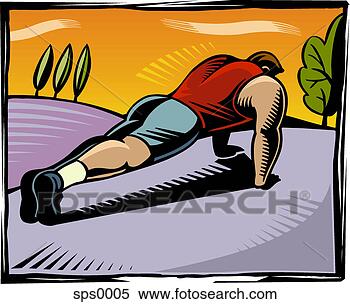
Jill, I think this is the code you want: http://topendsports.com/clipart/pics...ss/push_up.gif
Just paste it as a picture."Get action. Seize the moment. Man was never intended to become an oyster."
-- Theodore Roosevelt
Comment
-
Re: Testing awards posts
Jill are you using Windows?
are you using explorer or firefox or something else?
Here is what you do if you have Windows AND Firefox
You right click on the picture - a smaller window will pop up with the Element Properties. On there there is a line that says Location. You need to copy the whole line
For the picture you are trying to post the line looks like this: (without the %%%%) UP to now this is the part you have not done correctly
http%%%://topendsports.com/clipart/pics/albums/fitness/push_up.gif
Then you click on the the small yellow square with the mountain that opens the paste the picture square and paste the line in there.
What it does is to put the image tags around the address of the picture like this
[img]http%%%://topendsports.com/clipart/pics/albums/fitness/push_up.gif[/img]
 Startdate: November 18, 2007. Female 5'2"
May Challenges 2010
Push-ups: 450/800
Abs: 850/1900
Squats: 650/1200
Lunges: 500/1000
Strength: 490/1200
Running: 50/100 km
2 Years on Atkins.................. President Challenge Medals earned


Comment
-
Re: Testing awards posts
you may have to watch using the graphic that g's link takes you to. it has a .com address on it. i'm not sure if that makes tom liable for something or not. ????? JIMMIE JOHNSON ~ NASCAR SPRINT CUP CHAMPION 2006-20094th STRAIGHT CHAMPIONSHIP
JUST BECAUSE IT'S LEGAL DOESN'T MEAN YOU CAN EAT 3 HELPINGS OF IT. REMEMBER PORTION CONTROL
What I Just Earned..
Current Challenges.....
Comment
-
Re: Testing awards posts
jill, are you wanting something different or will the push up awards we have in the gallery okay?
Search Results - Atkins Diet Pictures JIMMIE JOHNSON ~ NASCAR SPRINT CUP CHAMPION 2006-20094th STRAIGHT CHAMPIONSHIP
JUST BECAUSE IT'S LEGAL DOESN'T MEAN YOU CAN EAT 3 HELPINGS OF IT. REMEMBER PORTION CONTROL
What I Just Earned..
Current Challenges.....Comment
-
Re: Testing awards posts
I just want to figure out how to do any image myself. LOL
I only go to free public clip art pages so there is no copyright issues for Tom.
OK will try again.
JILL
HW 298
HW (this time) 248
GOAL ONE 228 (take 2)
GOAL TWO 213 (personal goal)
GOAL THREE 199 ONE-DERLAND
FINAL GOAL 165
It's not about the results. Its about the process.
"I've never come home after a workout and said, MAN, I wish I had NOT exercised today!"
Comment
-
Re: Testing awards posts
 ok I did what you said and the link is now there and if you click on it you can get to a push up picture but the picture still isnt showing in the thread. Is that right?
I went into the yellow mountain box, pasted the entire location line and saved--no image showing. DOn't know what else to do. Tried typing in the brackets and img myself. nada. I am feeling computer challenged here. >: [
JILL
HW 298
HW (this time) 248
GOAL ONE 228 (take 2)
GOAL TWO 213 (personal goal)
GOAL THREE 199 ONE-DERLAND
FINAL GOAL 165
It's not about the results. Its about the process.
"I've never come home after a workout and said, MAN, I wish I had NOT exercised today!"
Comment
-
Re: Testing awards posts
Tried pasting it as Georgiana suggested and I get the whole text with [IMG]http://www......
[IMG]file:///C:/DOCUME%7E1/JILLDE%7E1/LOCALS%7E1/Temp/moz-screenshot.png[/IMG][IMG]file:///C:/DOCUME%7E1/JILLDE%7E1/LOCALS%7E1/Temp/moz-screenshot-1.png[IMG]JILL
HW 298
HW (this time) 248
GOAL ONE 228 (take 2)
GOAL TWO 213 (personal goal)
GOAL THREE 199 ONE-DERLAND
FINAL GOAL 165
It's not about the results. Its about the process.
"I've never come home after a workout and said, MAN, I wish I had NOT exercised today!"
Comment
-
Re: Testing awards posts

OK this time it worked and I still have NO IDEA why! Ugh! Did the same thing except the last [IMG] had a [/IMG] and I took out the slash. Ok all if I can get this one working I will just keep alternating the 2 I can do. So how do I add text like NOVEMBER PUSH UP AWARD to go along with picture? Sorry guys you are definitely dealing with a weak link here.JILL
HW 298
HW (this time) 248
GOAL ONE 228 (take 2)
GOAL TWO 213 (personal goal)
GOAL THREE 199 ONE-DERLAND
FINAL GOAL 165
It's not about the results. Its about the process.
"I've never come home after a workout and said, MAN, I wish I had NOT exercised today!"
Comment
-
Re: Testing awards posts
jill, you would have to add the words in a program such as printshop or whatever your computer has on it. if you put 'November" on the graphic, you'll have to change it each month you use it. i'm working on the november one for you.
JIMMIE JOHNSON ~ NASCAR SPRINT CUP CHAMPION 2006-20094th STRAIGHT CHAMPIONSHIP
JUST BECAUSE IT'S LEGAL DOESN'T MEAN YOU CAN EAT 3 HELPINGS OF IT. REMEMBER PORTION CONTROL
What I Just Earned..
Current Challenges.....Comment
-
Re: Testing awards posts

since the gallery is screwed up, has been screwed up, will remain screwed up, this will just be hosted in another area. but feel free to just copy/paste.
i'll work on the graphic that is showing in the posts. JIMMIE JOHNSON ~ NASCAR SPRINT CUP CHAMPION 2006-20094th STRAIGHT CHAMPIONSHIP
JUST BECAUSE IT'S LEGAL DOESN'T MEAN YOU CAN EAT 3 HELPINGS OF IT. REMEMBER PORTION CONTROL
What I Just Earned..
Current Challenges.....Comment
-
Re: Testing awards posts

now, do you want either of those, or both, with the november off? JIMMIE JOHNSON ~ NASCAR SPRINT CUP CHAMPION 2006-20094th STRAIGHT CHAMPIONSHIP
JUST BECAUSE IT'S LEGAL DOESN'T MEAN YOU CAN EAT 3 HELPINGS OF IT. REMEMBER PORTION CONTROL
What I Just Earned..
Current Challenges.....Comment


Comment