Announcement

Collapse
No announcement yet.

How to Create a Ticker

Collapse
This topic is closed.
X
This is a sticky topic.
X
X
 
  • Filter
  • Time
  • Show
Clear All
new posts

  • How to Create a Ticker

    There are several websites that allow you to create tickers. Some suggestions are below.

    ADBB Tickers: Free Weight Loss Tickers

    The Ticker Factory: Graphical Tickers and Trackers: Weight Loss, Trying To Conceive, Pregnancy...

    You can find step-by-step instructions for both these websites in the following posts.

    Please do not use tickers from "competitive" websites, such as the Phentermine Forums or 3 Fat Chicks.

    "Get action. Seize the moment. Man was never intended to become an oyster."

    -- Theodore Roosevelt

  • #2
    Re: How to create a ticker

    Create an ADBB Ticker

    1. Go to the tickers page: Free Weight Loss Tickers

    2. Click on Start Ticker Creation: Free Weight Loss Tickers

    3. You will see a list of different backgrounds for your ticker. Select the one you like by clicking on the little circle on its left. For example,


    4. Scroll to the bottom of the page and click on Step Two: Select your Slider.

    5. Select the slider you like by clicking on the circle right below it. For example,


    6. Scroll to the bottom of the page and click on Step Three: Input Text.

    7. Enter a PIN you would like to use for accessing your ticker data in the future.

    8. Select the privacy settings you prefer: private data or public data.

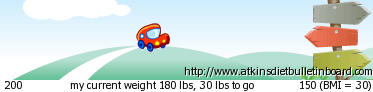
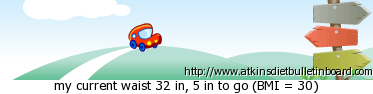
    9. Select what you want to be displayed by your ticker: weight change, weight or waist measurements. Below are examples for each of these three options.

    a) Weight change


    b) Weight (is different from a) only if your data is public)


    c) Waist, using private data


    d) Waist, using public data


    10. Enter your weight and waist measurements.

    11. Optional step: Enter your height.

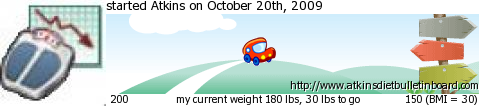
    12. Optional step: Enter a text to display above the ticker. For example, if you enter "started Atkins on October 20th, 2009", and depending on the options you selected in Step 9, the ticker will look something like this:


    13. Optional step: Select an image to display to the left side of the ticker. Please note that the image must be in .jpg format and the file size should be less than 100 KB and 600 pixels. Depending on the options you selected in the previous steps, the result will be similar to the one in the example below:


    14. Click on the Create Ticker button.

    15. After clicking Create Ticker, on top of the next page you will see how your ticker looks like. Below the image of the ticker, you will see your username and password (PIN); write them down. Underneath, there are three codes (HTML, PseudoHTML or BBCode, and Ezcode) and a direct link to your image (ends in .png). Select the BBCode with your mouse; make sure you select everything. Copy the text either by pressing Ctrl+C or by clicking the right-mouse button and then Copy.

    16. In a different window or tab, go to the ADBB main page: http://www.atkinsdietbulletinboard.com/

    17. On the links bar at the top of the page, click on Quick Links and then on Edit Signature. You can see below where Quick Links is located (circled in red).


    18. Paste the text you copied (the BBCode) in your signature text box, either by pressing Ctrl+V or by clicking the right-mouse button and then Paste.

    19. Click Preview Signature to make sure your signature looks fine. The ticker (an image) should be now visible in your signature.

    20. If it looks fine, then click Save Signature.
    "Get action. Seize the moment. Man was never intended to become an oyster."

    -- Theodore Roosevelt

    Comment


    • #3
      Re: How to create a ticker

      Create a ticker @ The Ticker Factory

      1. Go the weight tickers page: Weight Loss - Diet Ticker

      2. Select a ticker background. Click Next.

      3. Select a slider. Click Next.

      4. Follow Steps 7-11 and 14-20 in the previous post.


      Here is an example:

      "Get action. Seize the moment. Man was never intended to become an oyster."

      -- Theodore Roosevelt

      Comment

      Working...
      X